
Master your memorized deck
Mnemonica — Stack Trainer is the training companion for magicians and mentalists who work with a memorized deck. Study Juan Tamariz’s Mnemonica, Simon Aronson’s stack, or your own order — and drill it until every card is instant recall.

One-time purchase · No subscription · iPhone, iPad, Mac & Apple Vision
Everything you need to make a stack second nature
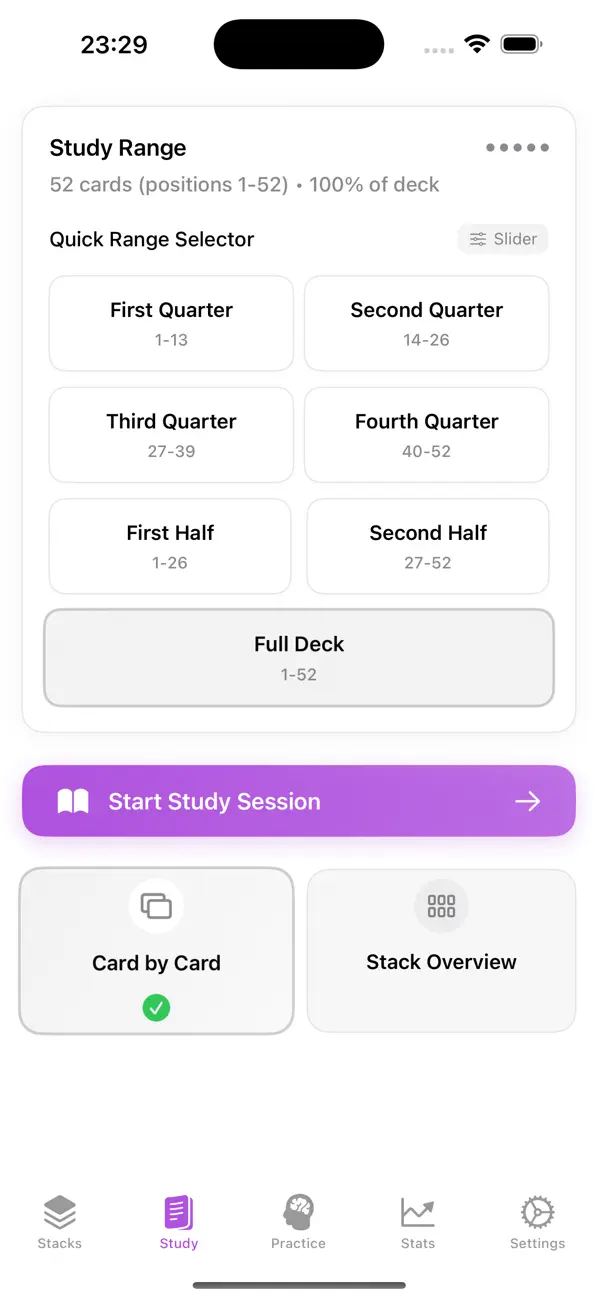
Study
Flip through the deck card by card or scan the full order at a glance. Built-in classic stacks — Juan Tamariz’s Mnemonica and Simon Aronson’s — plus attachable personal mnemonics for every card.
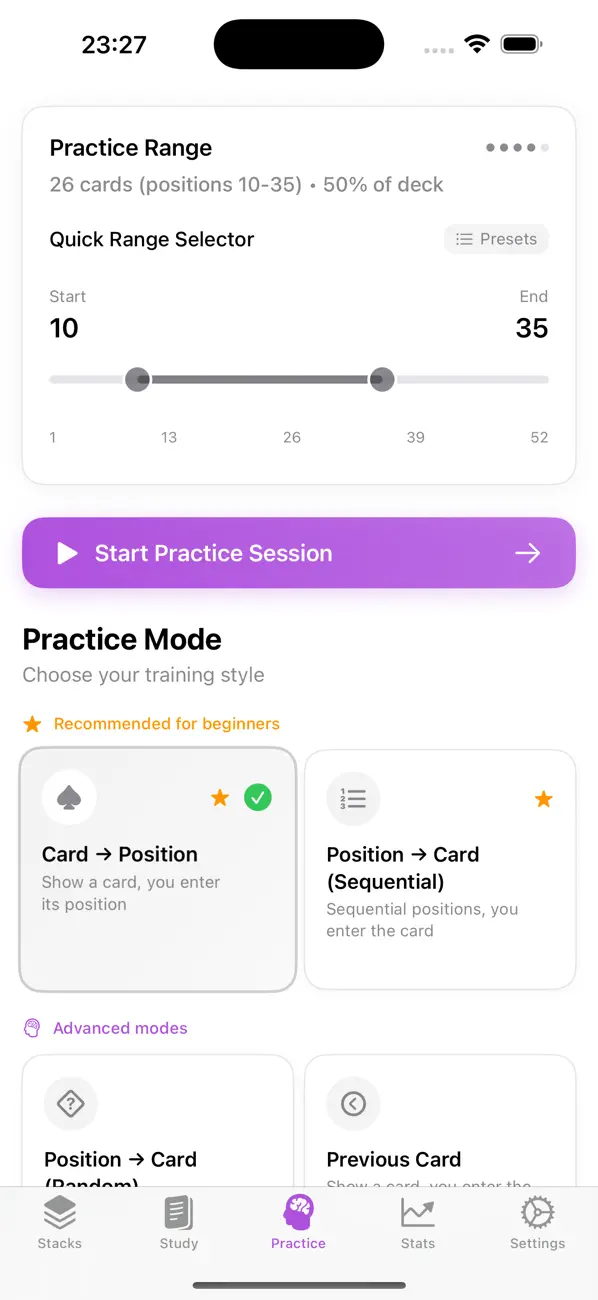
Practice Drills
Card → Position, Position → Card, Next/Previous Card, and mixed sequences — sequential or random. Train any range of the deck and anchor its structure with First/Second-Half drills.
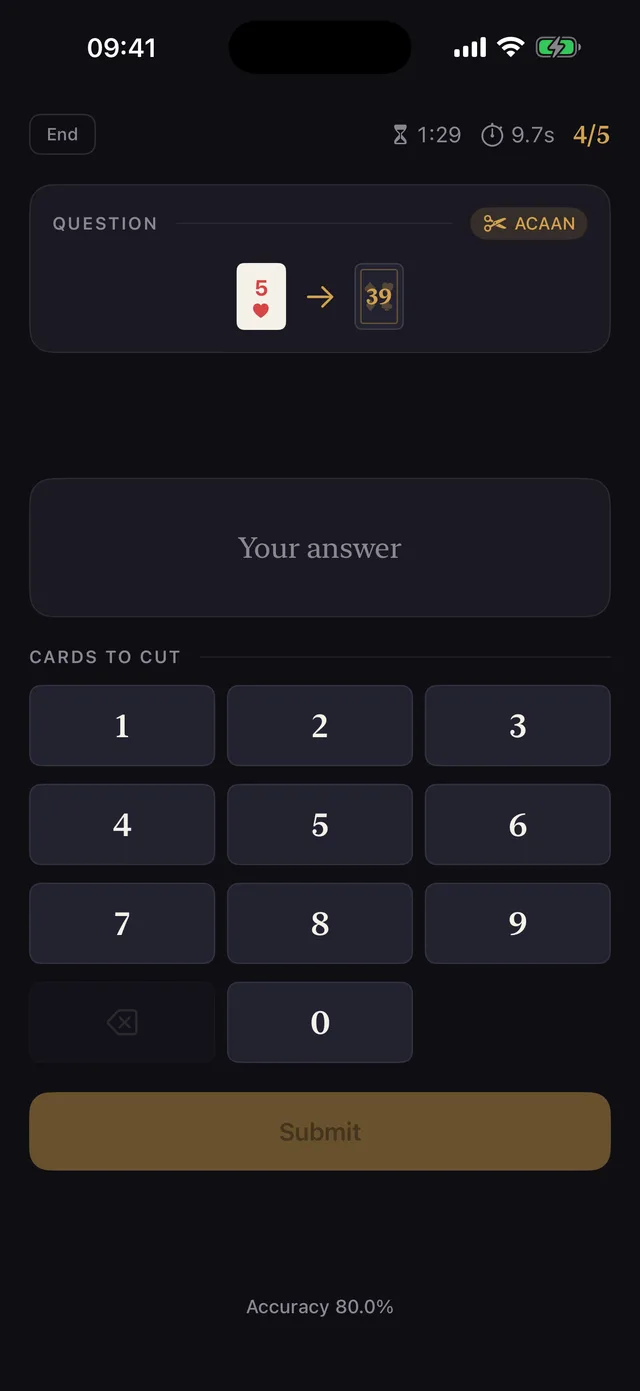
ACAAN Training
A dedicated Any Card At Any Number mode: compute the cut from any named card and target number, with wrap-around handling, near-miss feedback, a built-in method explainer, and a timed mode for stage speed.
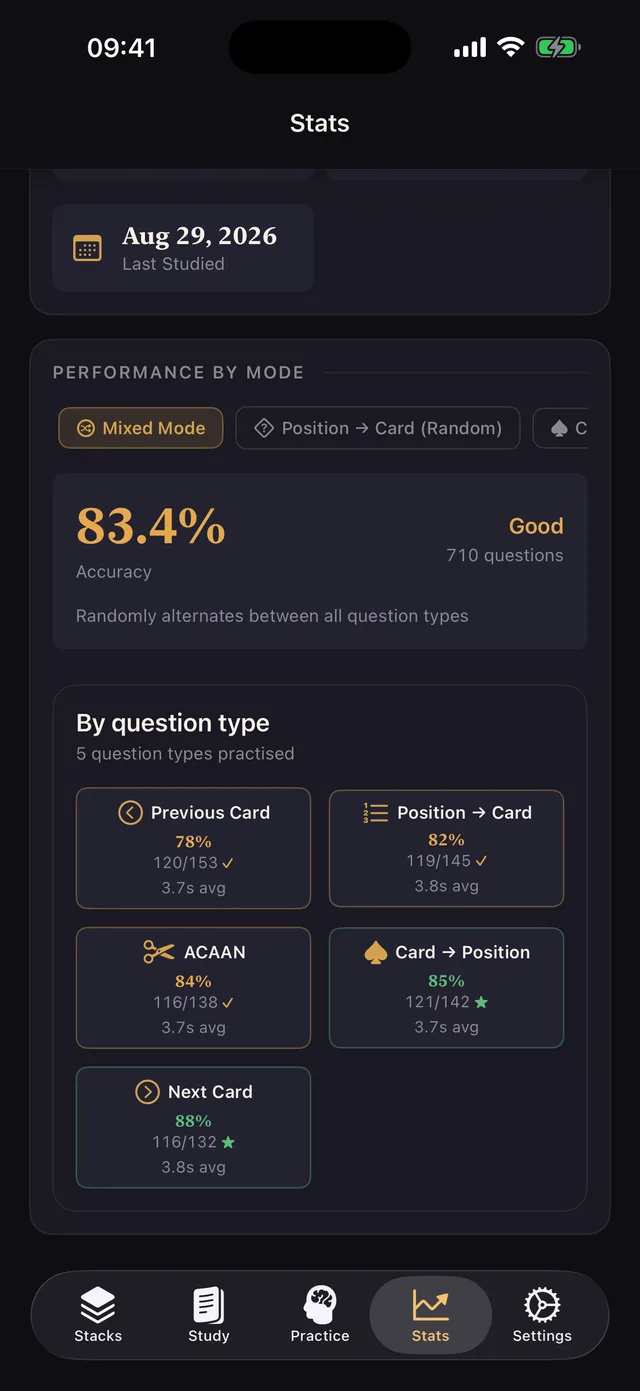
Statistics
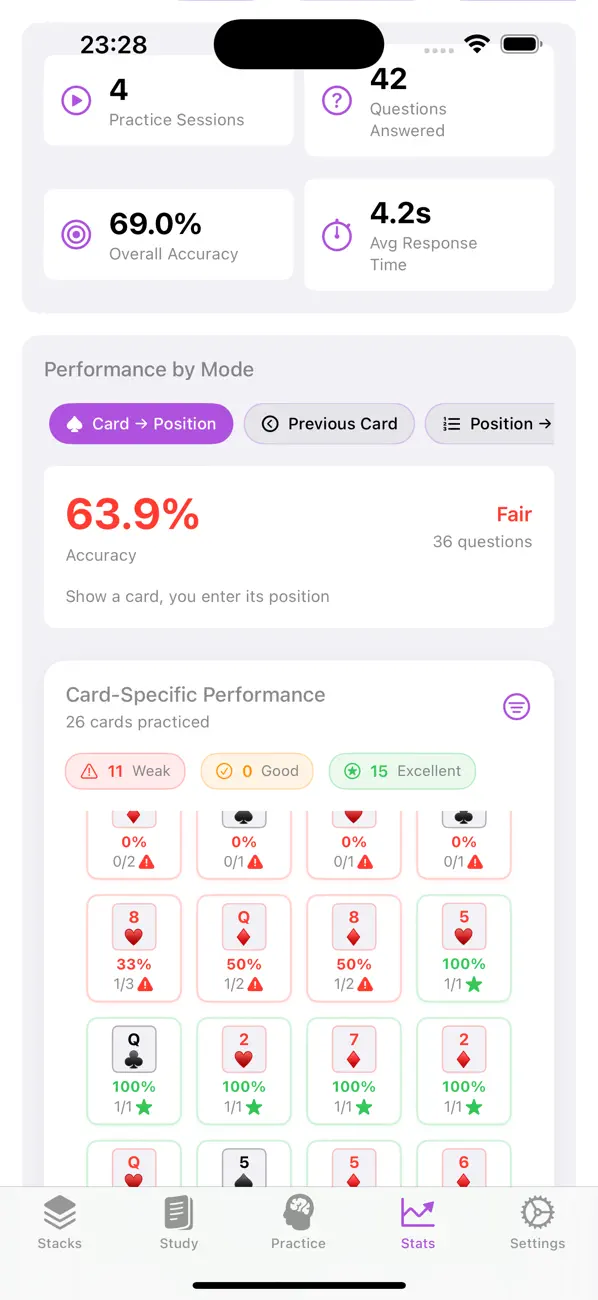
Accuracy, speed, streaks, and study activity over time. Mixed Mode accuracy broken down per question type, session summaries after every run, and your weakest cards and positions surfaced automatically.
Custom Stacks
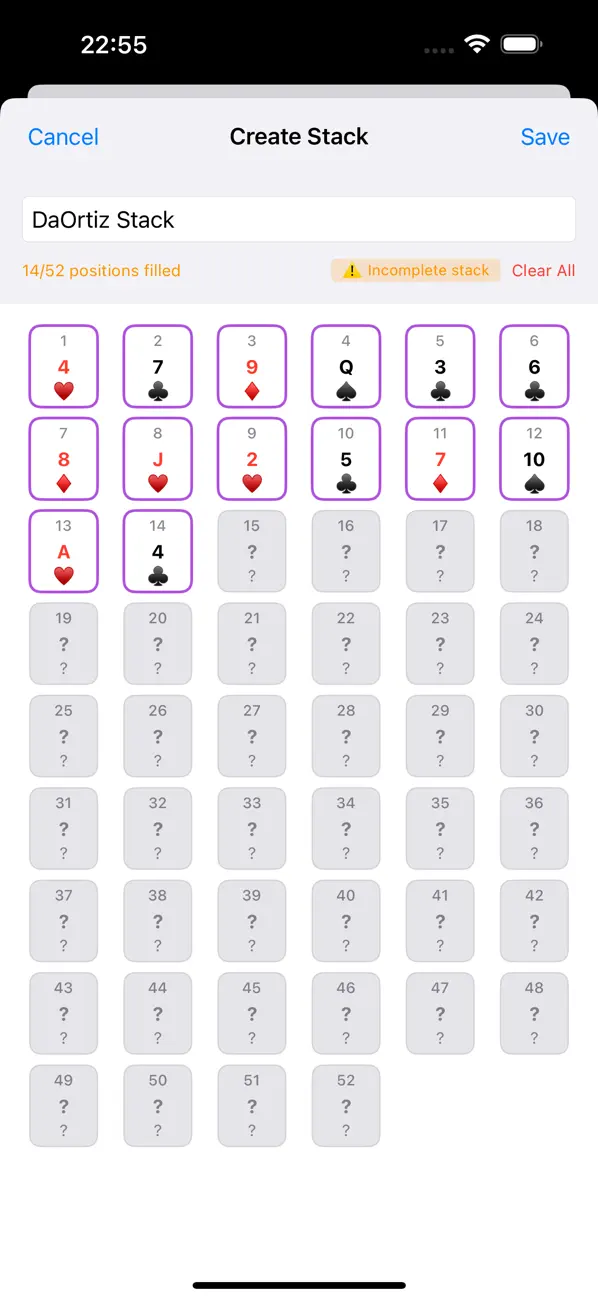
Working with your own system? Build and save any 52-card arrangement with the visual stack editor and train it exactly like the classics.
Mixed Mode
One session that blends every enabled question type — ACAAN included — so all your skills stay sharp at once, with per-type accuracy so you know exactly which skill lags.
Nail any card at any number
ACAAN is card magic’s holy grail — and with a memorized deck, it comes down to one skill: computing the right cut, instantly. The dedicated ACAAN mode turns that computation into a drill you can run anywhere.
- Name a card, name a number — work out the cut in seconds
- Wrap-around handling and near-miss feedback, so you learn from close answers
- Built-in explainer of the ACAAN method
- Timed mode to build performance-ready speed under pressure
- ACAAN questions can join Mixed Mode sessions
Why ACAAN is card magic’s holy grail →
How to train ACAAN, from cut formula to stage speed →
Designed for daily practice
Why memorize a deck?
A memorized deck is one of the most powerful tools in card magic. When you know the exact position of all 52 cards, effects that look impossible become almost self-working: instant card locations, any-card-at-any-number, demonstration poker deals, and predictions with no visible method.
The hard part has always been the memorization itself. Mnemonica — Stack Trainer turns it into a structured daily routine — study a small range, drill it in both directions, review your weakest cards, and expand the range as your recall becomes instant. Written by a magician, for magicians.
Frequently asked questions
What is a memorized deck?
A memorized deck (or "memdeck") is a full deck of 52 playing cards arranged in a specific order that the magician knows by heart. Knowing the exact position of every card unlocks some of the most powerful effects in card magic — instant location, spelling tricks, poker deals, and seemingly impossible predictions.
What is the Mnemonica stack?
Mnemonica is the memorized deck order created by Spanish magician Juan Tamariz and published in his book "Mnemonica" (2004). It is the most widely used memorized stack in card magic, prized for its built-in effects, poker deals, and the ease with which it can be reached from new deck order.
What is ACAAN and how does the app train it?
ACAAN — Any Card At Any Number — is the effect where a freely named card appears at a freely named position in the deck. With a memorized deck, performing it means computing the right cut instantly. The app’s dedicated ACAAN mode drills exactly that: it names a card and a number, you answer with the cut, and it gives near-miss feedback, handles wrap-around cases, explains the method, and times you as you approach stage speed.
Which stacks are included in the app?
The app ships with iconic memorized stacks — including Juan Tamariz’s Mnemonica and Simon Aronson’s stack — ready to train out of the box. You can also build and save your own custom stacks with the stack builder, and attach personal mnemonics to every card.
How long does it take to memorize a stack?
With focused daily practice, most people learn a full 52-card stack in a few weeks. Training in small ranges (13 cards at a time), drilling both card-to-position and position-to-card, and reviewing your weakest cards — all built into the app — is the fastest route to real fluency.
How much does the app cost?
Mnemonica — Stack Trainer is a one-time purchase — see the App Store listing for the price in your region. No subscription and no in-app purchases.
Does the app require an account? Where is my data stored?
No account is needed. All your training data stays on your device, and you can export and import a complete JSON backup at any time. Anonymous analytics can be turned off in Settings. See the privacy policy for details.
Which devices and languages are supported?
The app runs on iPhone and iPad (iOS 16.6 or later), Mac with Apple Silicon, and Apple Vision. It is fully localized in English and Spanish, with complete VoiceOver and Dynamic Type support.
From the blog
- Why Every Magician Should Learn a Memorized Deck
A memorized deck lets you instantly know any card's position and the card at any position, turning free selections into mentalism-grade miracles with no visible sleights. It looks shuffled, survives false shuffles, and is a one-time investment that supports dozens of routines.
- What Is the Mnemonica Stack? A Beginner's Guide to Mastering Card Magic
The Mnemonica stack is Juan Tamariz's memorized arrangement of all 52 cards that looks shuffled but gives the magician complete control of the deck. Learning it enables instant card location, predictions, and mentalism-style effects, and structured drills get it memorized in weeks.
- Aronson Stack Order: The Complete 52-Card List
The Aronson stack runs from J♠ at position 1 to 9♦ at position 52, with Q♥ at the midpoint. Learn it in quarters, drill both directions, and use the built-in landmarks at 13, 26 and 39 as anchors.
From the same maker
Card Sketch — the reveal to match your stack
A memorized deck tells you the card; Card Sketch is how you reveal it. Sketch a small picture frame on a blank screen and the exact card fades in inside it — no gimmick in sight, fully offline. A perfect closer for memdeck work.
Visit cardsketch.com →Turn dead time into deck time
Available now for iPhone, iPad, Mac, and Apple Vision — in English and Spanish.